手册 v0.1.0 · KaiderBooks v2.0.0 · 2026-07-20
Inventory items and stock adjustments
In one sentence
Create each product as an SKU with its opening quantity, then move stock only through Adjust stock, and the system raises low-stock alerts against your reorder level.
1. Creating an SKU
Books → Inventory & Costing → Product SKU, then click New item.
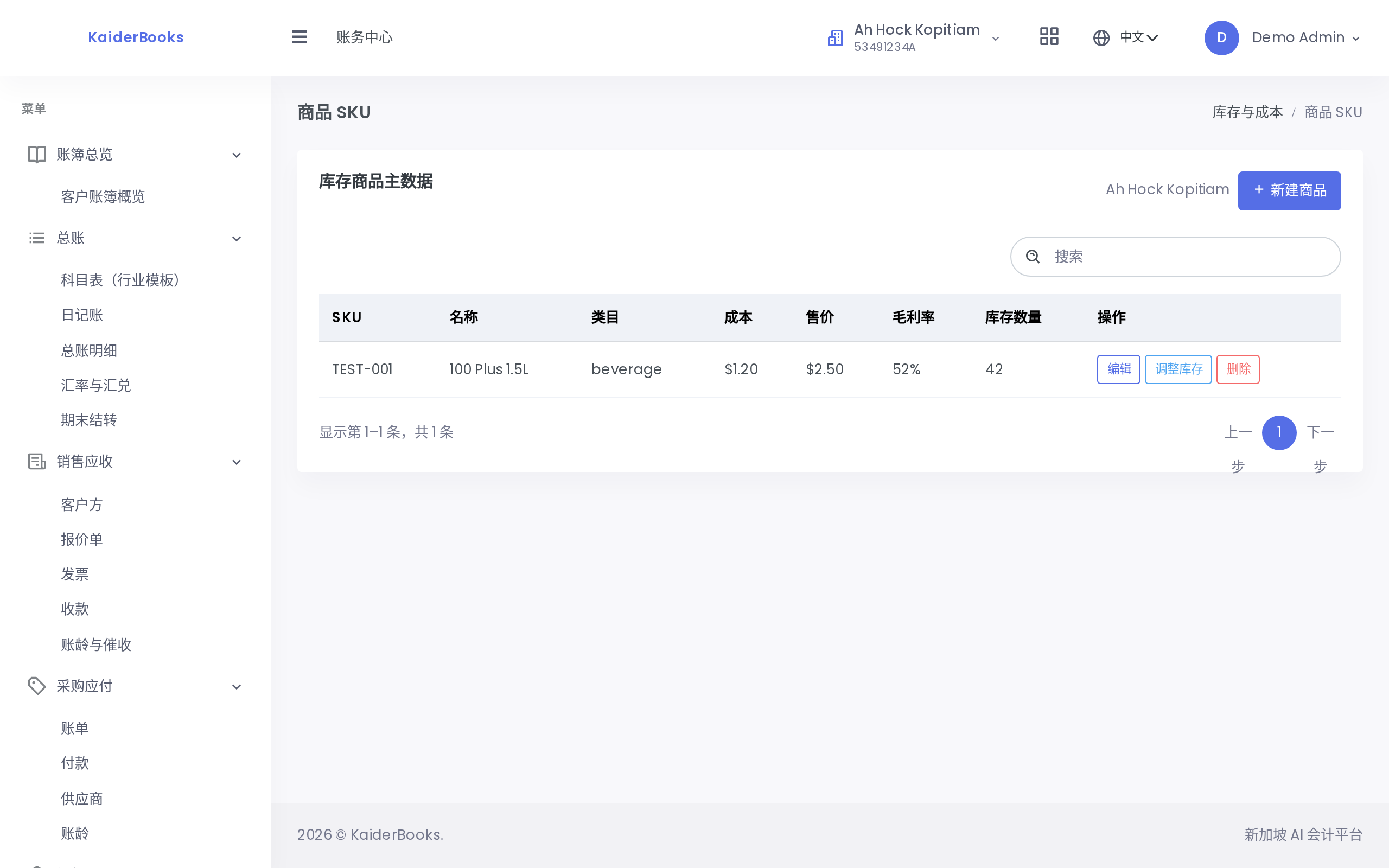
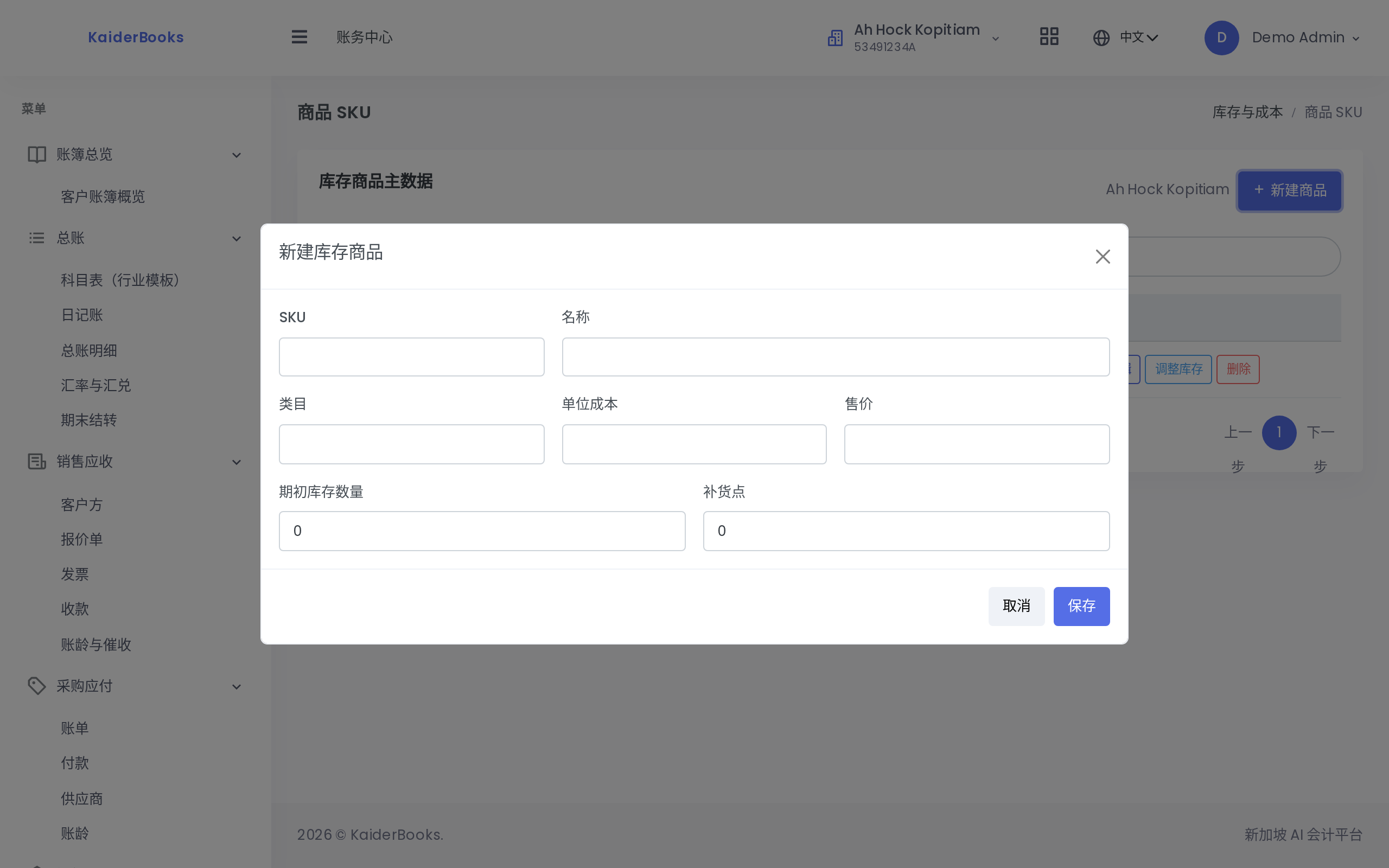
1
Opening stock is set once at creation; later changes go through adjustments
| Field | Notes |
|---|---|
| SKU | The item code, uppercased automatically. A structured scheme helps, e.g. BEV-COLA-330 |
| Name | Full product name |
| Category | Your own grouping, useful for filtering and stocktakes |
| Unit cost | Purchase cost per unit, entered in dollars |
| Selling price | Price per unit to the customer, entered in dollars |
| Opening stock qty | How many you hold when the record is created |
| Reorder level | The threshold at which you should restock; alerts are based on it |
Opening stock can only be set at creation
When editing an existing item, the opening stock field is disabled. After creation every change in quantity must go through Adjust stock, so each movement carries a reason and can be traced. Typing a new number to "tidy up" the balance is deliberately not possible.
The item list also shows a gross margin column, computed as:
Gross margin = (selling price − unit cost) ÷ selling price
For a cost of $8.00 and a price of $12.00 the margin is 33.3%. The column makes it easy to compare pricing across the range.
2. Adjusting stock
Purchases, issues, stocktake differences and write-offs all use the same entry point. On either the Product SKU or Stock & Costing page, click Adjust stock on the row.
| Field | Notes |
|---|---|
| Quantity change | Positive to receive, negative to issue. Receiving 100 is 100; issuing 85 is -85. Zero is rejected |
| Reason | Required. Say why the stock moved — "Goods received PO-2026-018", "Stocktake shortfall", "Customer return" |
Do not write "adjustment" in the reason
Six months later the word "adjustment" tells you nothing. Record the document number or the cause, so that stocktake differences can actually be explained.
3. The stock dashboard and alerts
Books → Inventory & Costing → Stock & Costing.
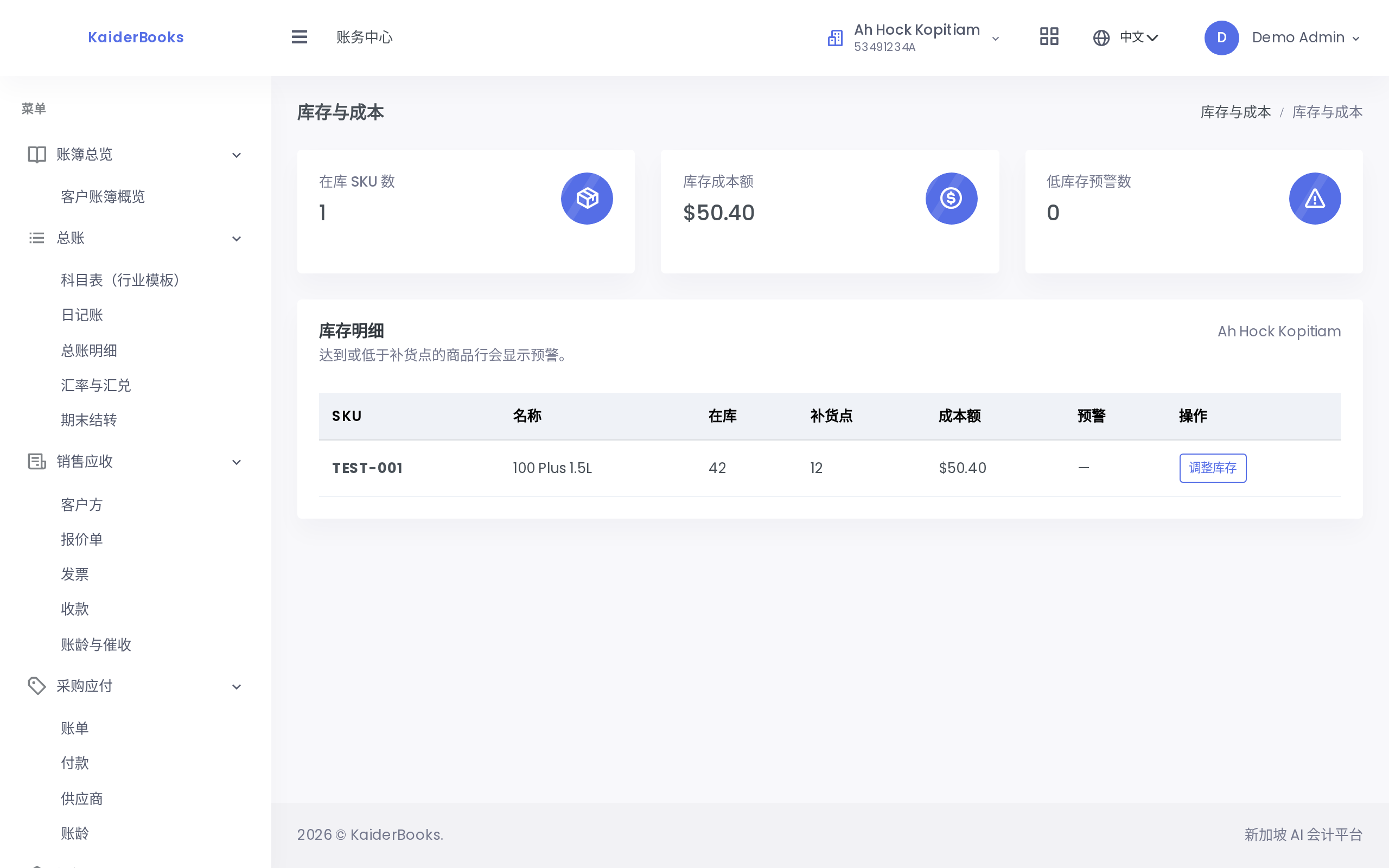
Three cards sit at the top:
| Card | Meaning |
|---|---|
| SKUs in stock | How many products still hold stock |
| Stock value at cost | Total on-hand quantity × unit cost — the cash tied up in inventory |
| Low-stock alerts | How many SKUs have fallen to their reorder level |
The detail table flags two levels:
| Alert | Condition |
|---|---|
| Low stock | On-hand quantity ≤ reorder level |
| Critical | On-hand quantity ≤ half the reorder level |
Flagged rows are colour-coded, so a glance tells you what to reorder. The whole alert system is driven by that single reorder level figure — set it carelessly and the alerts mean nothing. Base it on average consumption over the replenishment lead time, and set it higher for items that take longer to arrive.
Next: Payroll and CPF →