手册 v0.1.0 · KaiderBooks v2.0.0 · 2026-07-20
Manual journals and reversals
In one sentence
Invoices, bills and payments post their own journals; manual entries are for everything without a source document — accruals, amortisation, closing entries, corrections — and once posted they are locked, correctable only by reversal.
1. When you need a manual journal
The everyday chains (sales, purchases, receipts, payments, depreciation, payroll) post journals automatically, so do not re-enter them by hand or the books will double-count. Manual journals are for:
| Situation | Example |
|---|---|
| Period-end accruals | Accrue unbilled utilities, provide for year-end bonuses |
| Amortisation and closing | Spread prepaid insurance monthly, close profit or loss to retained earnings |
| Bank sundries | Bank charges and interest income that arrive without a document |
| Corrections | Reclassify an entry that was posted to the wrong account |
| Opening balances | Load balances when migrating from a previous system |
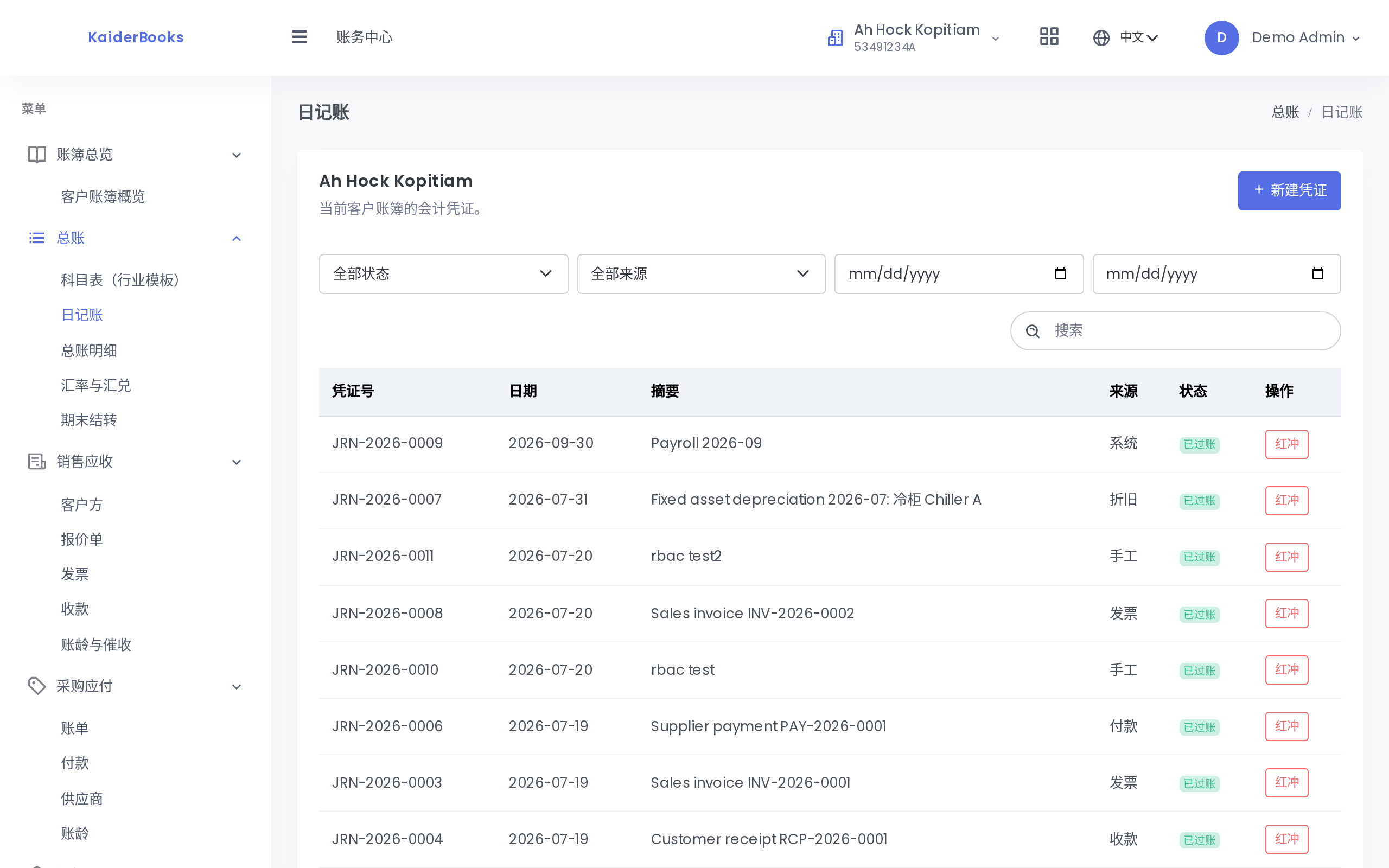
The filters above the list cover status (Draft / Posted / Reversed), source (Manual / Invoice / Bill / Receipt / Payment / Depreciation / System) and a date range. To see only what your team typed by hand, filter source to Manual — system-generated journals carry Invoice, Bill, Depreciation and similar sources, so the two never blur together.
2. Entering a journal
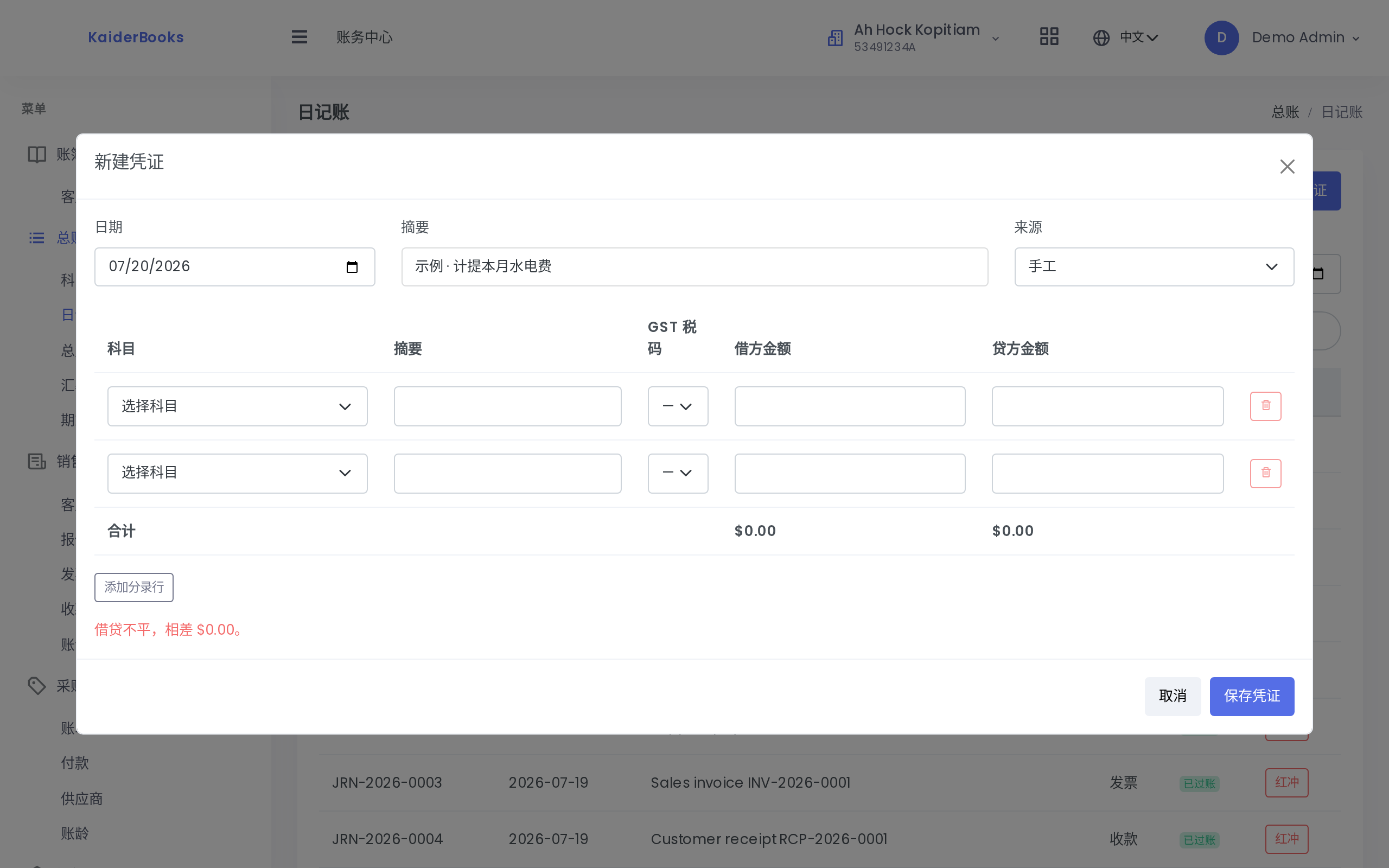
1
State why the entry exists — reviewers and auditors rely on this
2
One account per line; fill either debit or credit, never both
3
Add more lines as needed; a journal needs at least two
| Field | Notes |
|---|---|
| Date | Determines which accounting period the entry lands in |
| Description | Required. Say why the entry exists — you and the auditor will read it later |
| Source | Leave as Manual for hand-written entries |
| Lines | Account, description, GST code, debit amount, credit amount |
Three hard rules the form enforces on the spot:
- At least two lines. With only two left, the remove-line button is disabled.
- Each line carries either a debit or a credit, never both. To debit and credit the same account, split it into two lines.
- Debits must equal credits. While out of balance a red message reads "Out of balance by X"; once matched it turns green — "Debit and credit are balanced" — and only then can you save.
Amounts are entered in dollars (88.88) and stored in cents, so no rounding drift creeps in.
A saved entry is a draft: nothing has reached the reports yet, and you can edit or delete it freely.
3. Posting
Click Post on a draft row and the system will:
- Assign a formal voucher number in the form
JRN-2026-0001(numbered per client, per year) - Move the status from Draft to Posted
- Include the amounts in the trial balance and every report immediately
A locked period blocks posting
If the journal date falls inside a locked period, posting is rejected. Note that the draft can still be created — the lock guards the act of posting, not data entry. See Period close and locking.
4. Why a posted journal cannot be edited
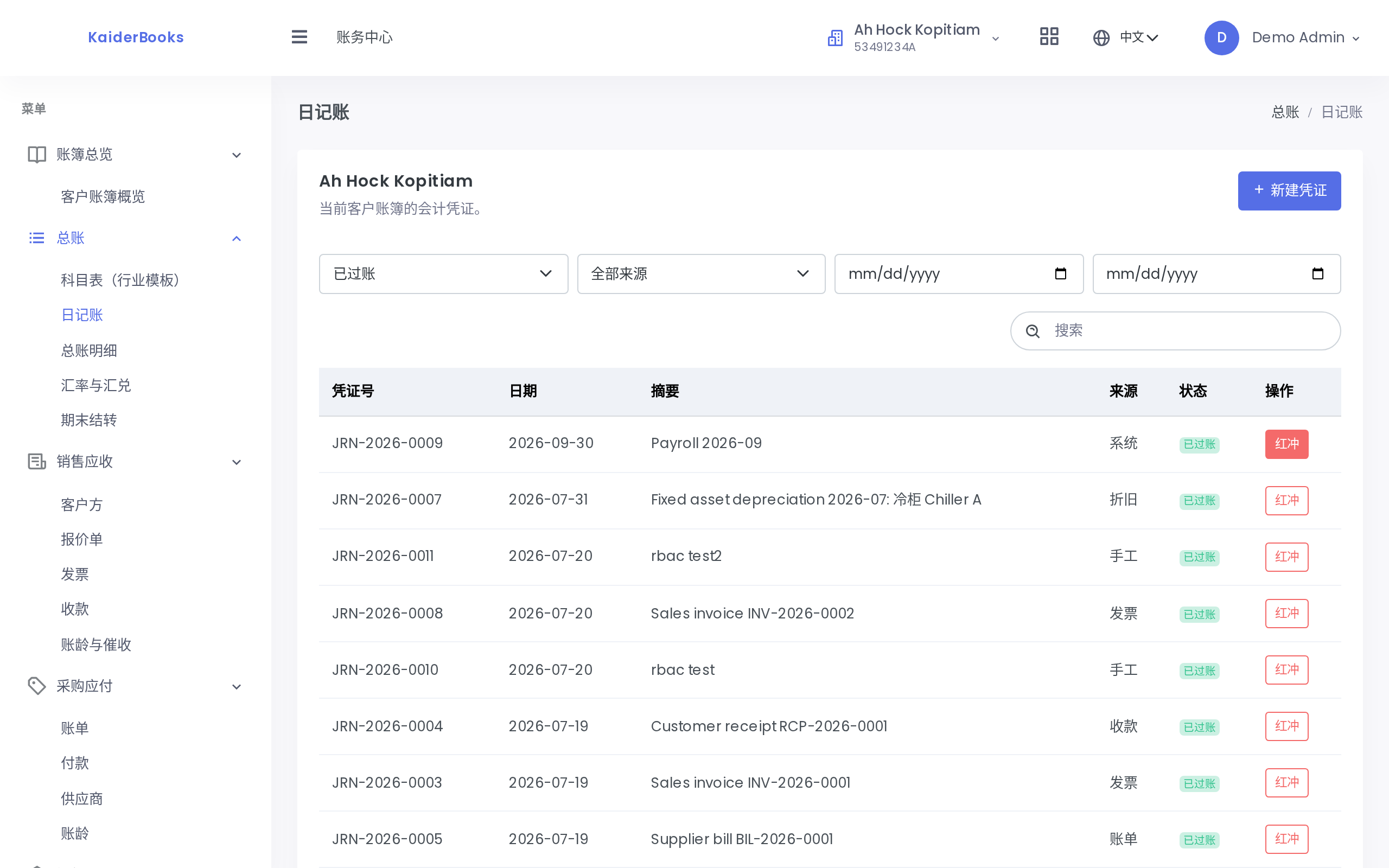
1
Filter by status: draft / posted / reversed
On a posted row the Edit, Delete and Post buttons are gone entirely — not greyed out, simply not rendered. Only Reverse remains.
That is deliberate, and it is enforced twice:
- In the interface — the buttons do not exist, so they cannot be clicked
- In the API — calling the endpoint directly to edit or delete a posted journal is rejected as well (a 4xx error)
Why every accounting system works this way
The ledger is append-only: a record that has taken effect cannot be altered, and every correction must leave a new trace. That is what lets you reconstruct the books as at any date, and lets an auditor see what was originally recorded, who changed it, when, and to what. A system that lets you rewrite history produces books nobody can trust.
5. Reversing
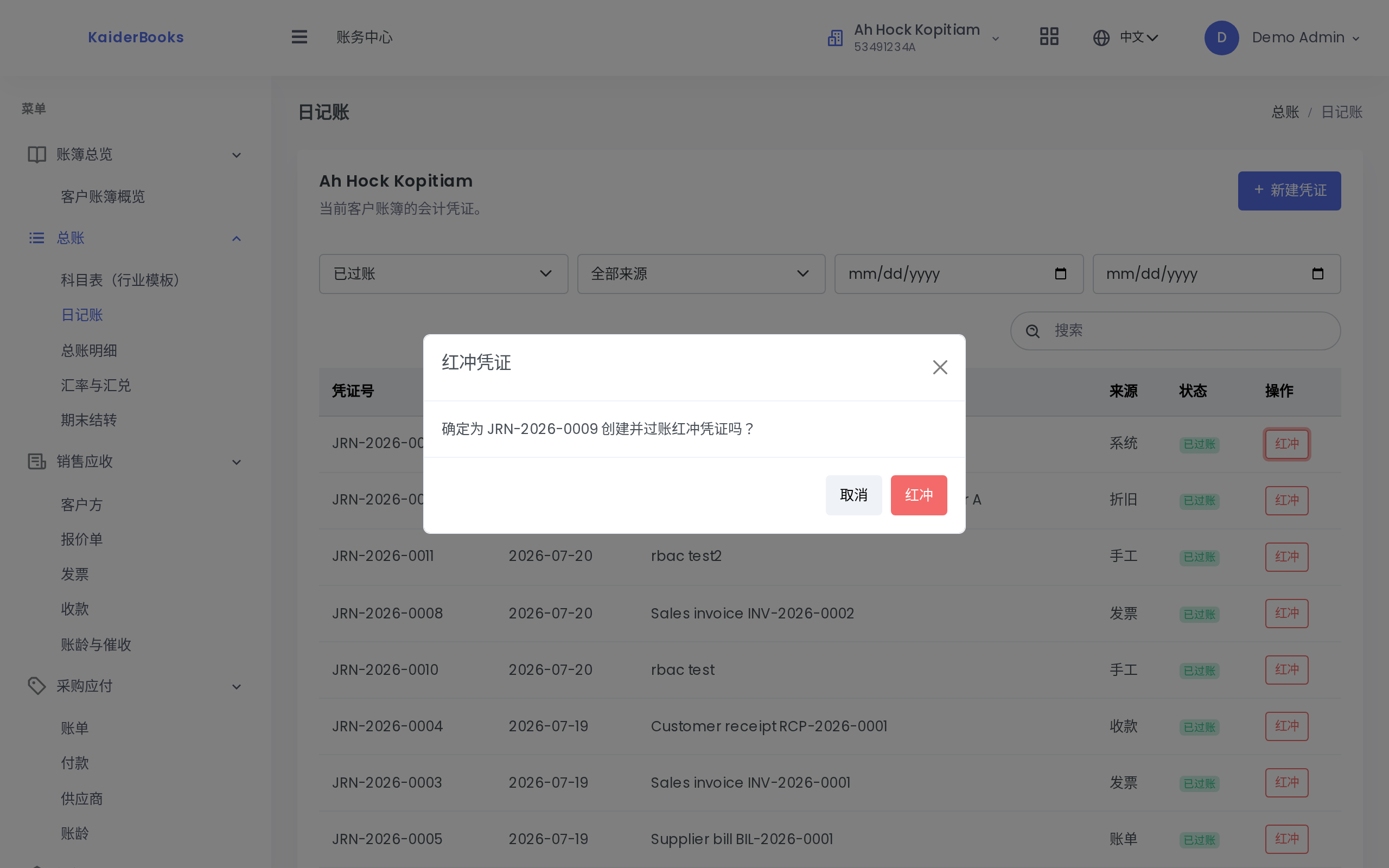
To undo a posted journal, click Reverse and confirm. The system will:
- Build a new journal that is an exact mirror of the original (debits become credits and vice versa, amounts unchanged)
- Post that reversing journal straight away, with no draft stage
- Set the original journal's status to Reversed
For an original of "5000 Expenses debit $88.88 / 1000 Cash credit $88.88", the reversal is:
| Account | Debit | Credit |
|---|---|---|
| 1000 Cash | 88.88 | |
| 5000 Expenses | 88.88 |
Added together the pair nets to zero, as though the entry never happened — while both journals stay on the books.
After reversing, the original row offers no actions at all: it has reached its final state. If the transaction was legitimate and only the amount or account was wrong, reverse it and then enter a fresh, correct journal.
6. One rule worth memorising: which journals the reports count
Every report — trial balance, profit and loss, balance sheet, cash flow, GST F5 — counts journals in Posted and Reversed status.
That reads backwards at first: if a journal was reversed, why is it still counted?
Because a reversal is a pair: the original (now marked Reversed) plus the reversing journal (marked Posted). Their amounts are opposite and sum to zero.
- Counting Posted only excludes the original and leaves the reversing journal's negative amount stranded in the books — the reports gain a phantom contra amount and the figures are simply wrong.
- Counting Posted and Reversed keeps both halves, they net to zero, and the books are right.
Do not filter on posted alone when extracting data
If you pull figures through the API or an export and total them yourself, always select status IN ('posted','reversed'). Taking posted only is the single easiest way to get the numbers wrong in this system.