手册 v0.1.0 · KaiderBooks v2.0.0 · 2026-07-20
Period close and locking
In one sentence
Once the month's work is done and the trial balance agrees, lock the period — after that nobody can post into that month, and the reported figures are fixed for good.
1. What closing a month actually involves
Closing is not one button in the system; it is a sequence of checks. The system only handles the final lock — the work before it is yours.
A suggested closing order (guidance, not a workflow the system enforces):
| Order | What to do | Where |
|---|---|---|
| 1 | Finish bank reconciliation; anything unmatched can be explained | Banking and reconciliation |
| 2 | Review AR / AP aging and confirm no receipts or payments were missed | Books → Sales (AR) / Purchases (AP) → Aging |
| 3 | Post this month's depreciation on fixed assets | Books → Fixed Assets → Depreciation |
| 4 | Complete and post the payroll run | Filing → Payroll → Payroll Runs |
| 5 | Review GST codes for missing or incorrect tax treatment | Books → GST → Tax Codes |
| 6 | Check the trial balance | Period Close page (below) |
| 7 | Lock the period | Period Close page |
2. The Period Close page
Go to Books → General Ledger → Period Close and pick the closing period in the month selector; the page recalculates for that period straight away.
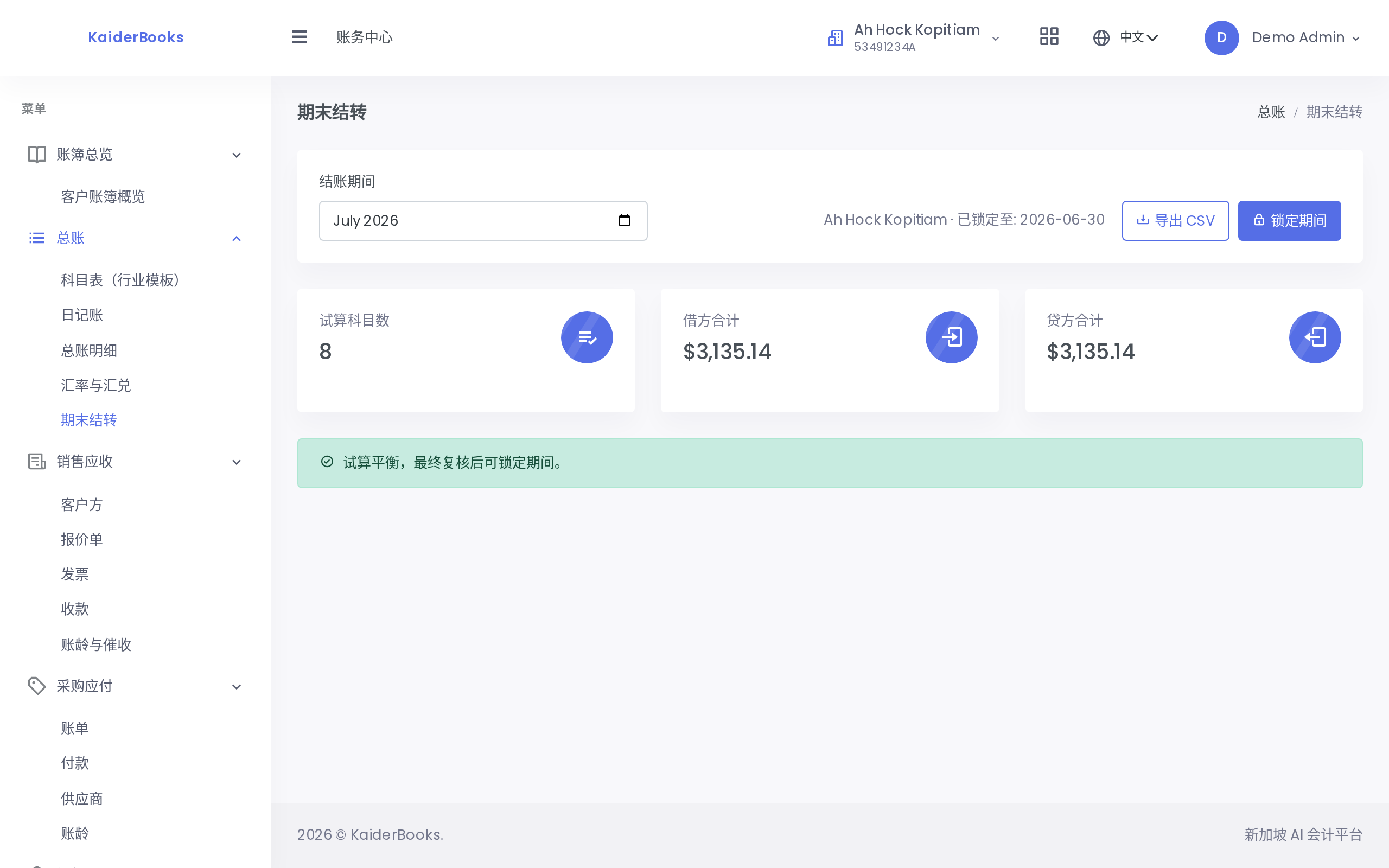
1
Pick the month you are closing
2
Enabled only when the trial balance agrees; visible to partners and managers only
Three things sit on the page:
1. A four-step guide: Trial Balance → Adjusting Journals → Close Profit & Loss → Lock Period. It is a reminder of the steps a close should go through.
2. Three summary cards:
| Card | Meaning |
|---|---|
| Accounts in trial balance | How many accounts carry a balance in the period |
| Total debit | Sum of all account debits |
| Total credit | Sum of all account credits |
3. A balance banner:
- Green — "Trial balance agrees. The period can be locked after final review." Debits equal credits; carry on.
- Amber — "Trial balance does not agree. Resolve the difference before locking." Investigate before doing anything else.
Export CSV in the top right saves the trial balance for your files or for the auditor.
An out-of-balance trial balance should not normally happen
Every journal is forced to balance at save time, so the trial balance is balanced by construction. If it genuinely does not agree, treat it as a data anomaly and investigate rather than locking anyway.
3. Locking the period
With the trial balance agreed, click Lock period.
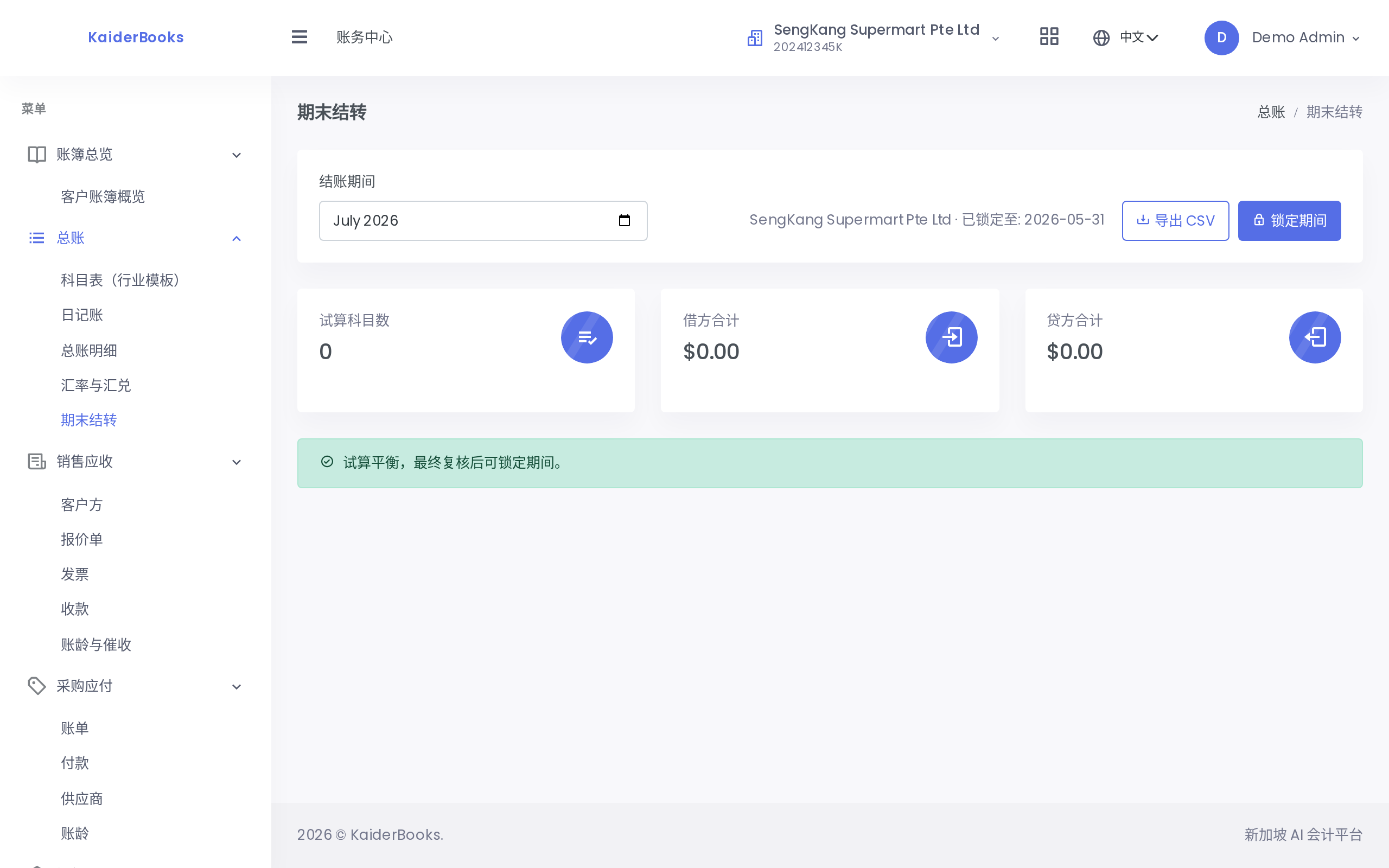
1
The header shows the date the ledger is locked through
After a successful lock:
- A green message reads "Period locked through YYYY-MM-DD"
- The Locked through line at the top shows that date
- The lock point is the month end of the selected month (choose 2026-07 and it locks through 2026-07-31)
The button is disabled while the trial balance is out of balance
Deliberately so — locking books that do not agree achieves nothing. Resolve the difference first.
Only partners and managers see this button
Lock period is rendered only for the partner and manager roles. Accountants and interns do not see it at all: locking freezes an entire month of books, so the permission is deliberately tight.
4. What a locked period changes
The lock guards posting, not data entry. That distinction matters:
| Action | Inside a locked period |
|---|---|
| Create a draft journal dated in the locked period | ✅ Allowed |
| Post that draft | ❌ Rejected |
| Edit a posted journal | ❌ Never allowed anyway (see Manual journals and reversals) |
| View and export reports | ✅ Allowed |
Attempting to post a journal dated inside the locked period is rejected with Accounting period is locked through ....
The intent is that entry never stops: you can capture journals as drafts and post them once the lock point moves forward, instead of downing tools.
5. How to "unlock"
There is no unlock button on this page.
To move the lock point back, lock an earlier month instead: if the books are locked through 2026-07-31 and July needs to reopen, set the closing period to 2026-06 and click Lock period again. The lock point retreats to 2026-06-30 and July is writable once more.
Rolling the lock point back deserves a second thought
Reopening a closed period means the figures can change. When a closed period genuinely needs adjusting, the cleaner approach is an adjusting journal in the currently open period rather than rewriting history — the first leaves a complete trail, the second makes the statements you already sent the client disagree with what the system now says.
6. How you know the close is done
- The reconciliation queue is empty, or the remainder is all explainable
- The trial balance banner is green
- Locked through shows this month's month end
- You would be comfortable sending the P&L and balance sheet to the client
Next: Financial statements →